
GPS Tracking for the Supply Chain
We offer permanent and portable GPS tracking devices for the supply chain including containers, trucks, trailers and packages. Shippers choose our solutions for reliability and ease of use. The web-based RouteWatch platform is user friendly and accessible from all devices. Use our covert tracking technology for supply chain visibility, to track high value cargo and to prevent theft and, if needed, quickly recover stolen assets. If you are looking for a solution to manage your fleet, prevent truck and trailer theft or would like to be prepared for recovery of stolen equipment, review our fleet and truck GPS tracking technology information.
|
Problem
Supply chain visibility
Track high value cargo Prevent and quickly recover stolen assets Prevent truck theft Fleet Management Recover stolen equipment |
Solutions (click name for product details)
|
ROUTEWATCH®
COMPLETE GPS SUPPLY CHAIN MANAGEMENT TOOL
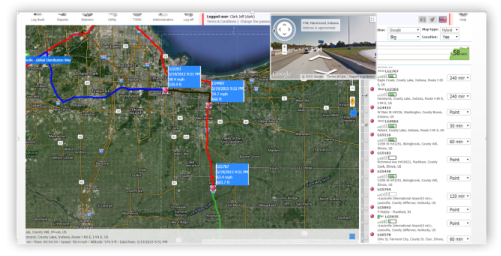
RouteWatch is designed to provide a variety of tools to manage all aspects of the supply chain. It features:
- Integrated environmental and security monitoring tools to maintain product integrity and protect investments.
- Event-based management, which allows for a large, customizable range of exceptions.
- Unlimited linear geo-fencing to reduce the area of vulnerability during transport.
- Deployed via a web-based SaaS and iOS and Android apps for smartphones and tablets.
CARGO SECURITY AND LOSS PREVENTION
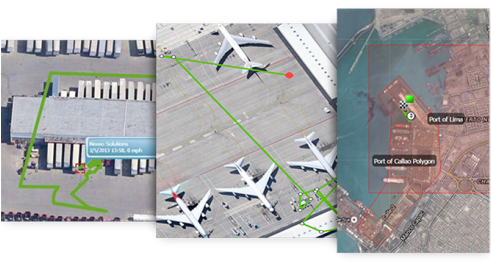
- Call center 24/7/365
- Client-specific alarm codes
- GPS tracking
- Pre-determined route and stops
- Unlimited geo-fences and routes
- Light sensor detects carton, container and door openings
- Panic button
- Covert installations
PRODUCT INTEGRITY AND BRAND PROTECTION
Ensure that your products are compliant with global safety regulations.
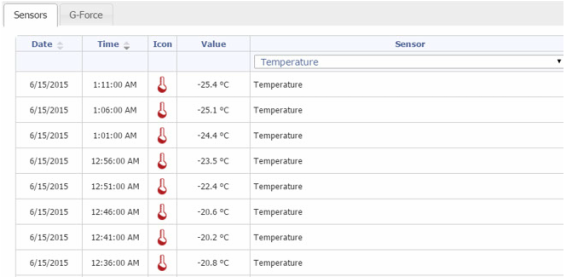
Protect your brand by meeting global regulations, allowing your product to get to market quickly. RouteWatch and our EMM probe combine to provide:
- Product tables ensure error free monitoring ranges
- NIST Global Standards traceable temperature and humidity sensors
- Full chain of custody data maintained for 5 years
- Multiple probes for trailer and facility monitoring
- Driver training and interviews
- Automated temperature trip history reports
FLEET AND ASSET MANAGEMENT
Reduce inventory expense and improve carrier performance.
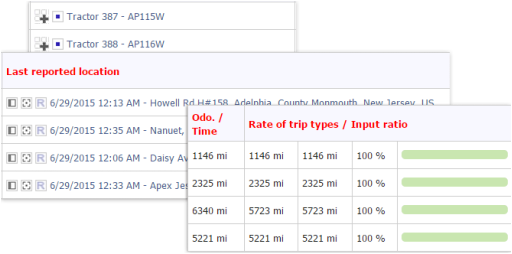
Reduce inventory expense, improve carrier performance, and extend vehicle life.
Our fleet and asset management solutions are two-fold providing the most complex fleet management tools in the industry. Asset management brings many different meanings to our clients from the management of expensive assets such as generators managing a remote mine to inventory within the supply chain. With RouteWatch you can;
Our fleet and asset management solutions are two-fold providing the most complex fleet management tools in the industry. Asset management brings many different meanings to our clients from the management of expensive assets such as generators managing a remote mine to inventory within the supply chain. With RouteWatch you can;
- Dispatch and route optimization
- Automated fleet management
- Trailer inventory management
- Improve shipping lane transit times
- Validate shipping lanes and packaging solutions
- Visibility to inventory within the supply chain
- Improve order forecasting
- Built-in report writer
- Alarms within 30 seconds of real-time events